Add app menu shortcuts on MacOS
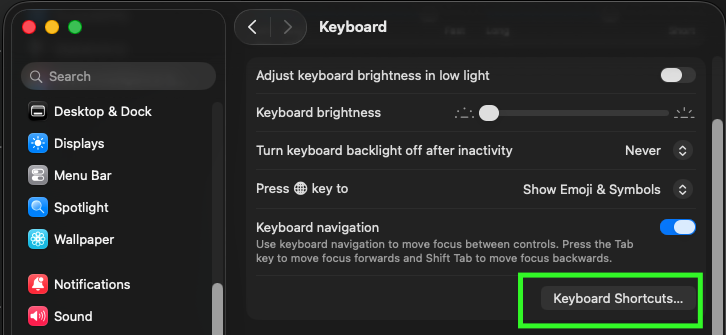
Tue 06. October 2026 | 2026-10-06- Keyboard settings
- Keyboard shortcuts...
- App shortcuts
-
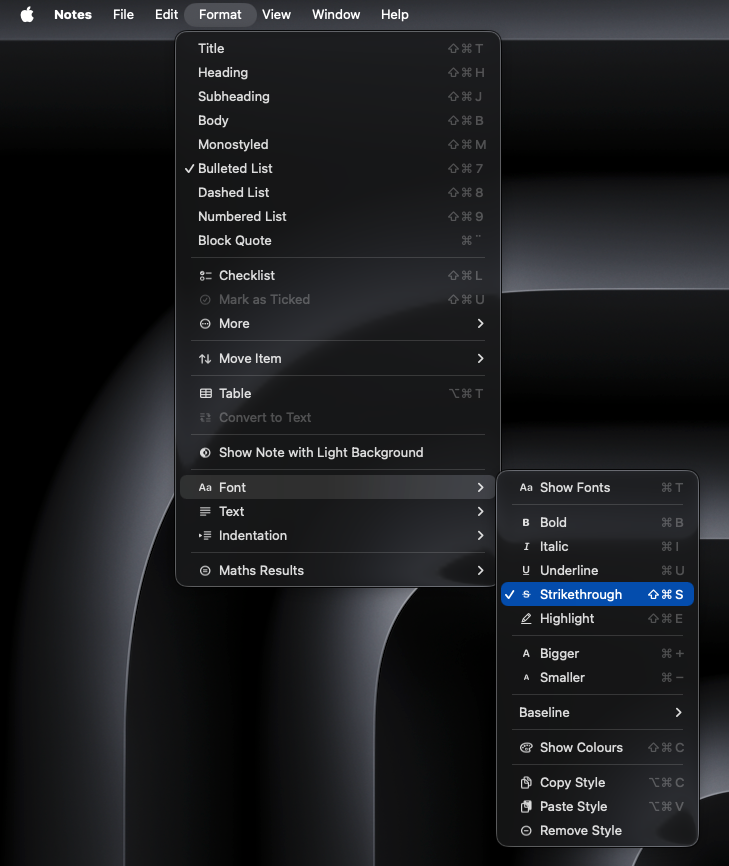
- or Notes.app
- For Notes.app, menu title:
Format->Font->Strikethrough
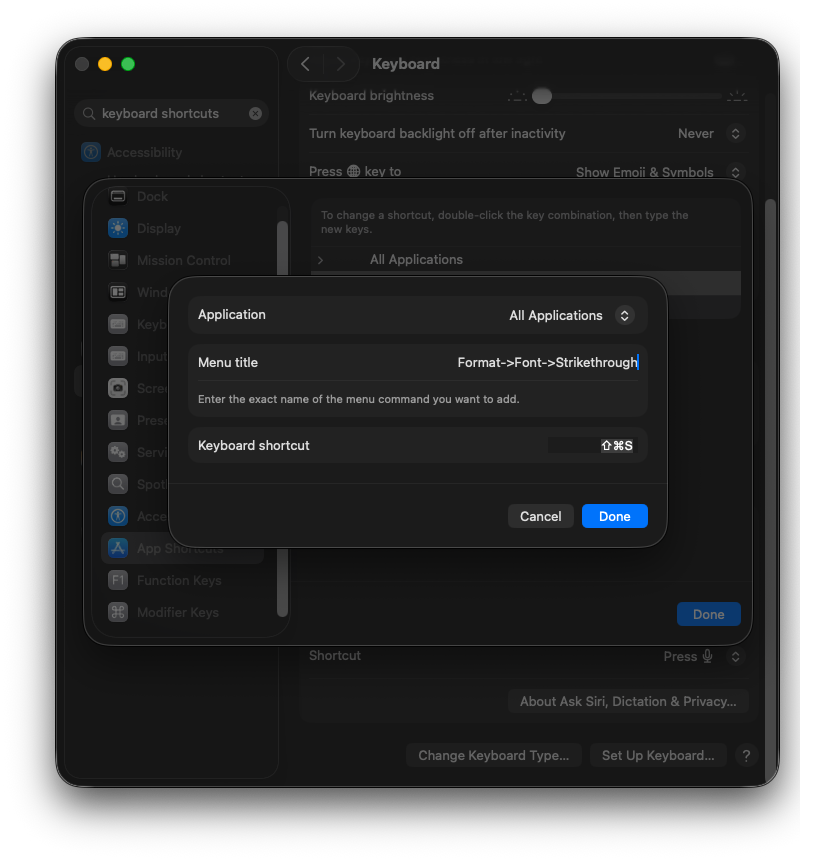
Format->Font->Strikethrough
pre-installed:
set surround "som i nvim surround, cs to change surrounding delimeters; visual mode + S' og ysiw( funker også
set highlightedyank
set matchit "html go to closing tag stuff
set nerdtree
set commentary
set ideajoin
må installere plugin for dette: (plugins -> marketplace)
set anyobject
nvm ls-remote nvim --helpnvim --cleannvim --startuptime time.txt --clean "Factory defaults" (skip user config and plugins, shada)
--startuptime <file> Write startup timing messages to <file>
Ting som folk har rapportert at kan være årsaken
# Cross-platform pattern: works on both GNU and BSD/macOS
sed -i'' -e 's/old/new/g' file.txt    # GNU
sed -i '' -e 's/old/new/g' file.txt # BSD/macOS (note the space):'<,'>,!sort -h
javascript
const obj = {
  bla: "bla"
}
python dictionary
lua table
At least one digit
/(?=.*\d)
Create dump file (package.json, requirements.txt)
brew bundle dump --force --describe notes:
git push $remote --delete $old_namegit push origin HEADThis will close any existing PR if exists
# Source - https://stackoverflow.com/a/30590238
# Posted by CodeWizard, modified by community. See post 'Timeline' for change history
# Retrieved 2026-04-22, License - CC BY-SA 4.0

# Names of things - allows you to copy/paste commands
old_name=feature/old
new_name=feature/new
remote=origin

# Rename the local branch to the new name
git branch -m $old_name $new_name

# Delete the old branch on remote
git push $remote --delete $old_name

# Or shorter way to delete remote branch [:]
git push $remote :$old_name

# Prevent git from using the old name when pushing in the next step.
# Otherwise, git will use the old upstream name instead of $new_name.
git branch --unset-upstream $new_name

# Push the new branch to remote
git push $remote $new_name

# Reset the upstream branch for the new_name local branch
git push $remote -u $new_nameAt a glance: Branch renaming commands
Task Command
Rename current branch git branch -m new-name
Rename specific branch git branch -m old-name new-name
Delete remote branch git push origin --delete branch-name
Push renamed branch git push origin new-name
Set upstream tracking git push --set-upstream origin new-name
https://www.codecademy.com/article/rename-git-branch
git branch -m new-branch-name https://www.freecodecamp.org/news/git-rename-branch-how-to-change-a-local-branch-name/
Install Helix
Migrating from Vim
Basics
hx --tutor helix --tutor :tutor